
Donate Now Long Time Users

How to make one-time or recurring gifts via debit/credit card or electronic check
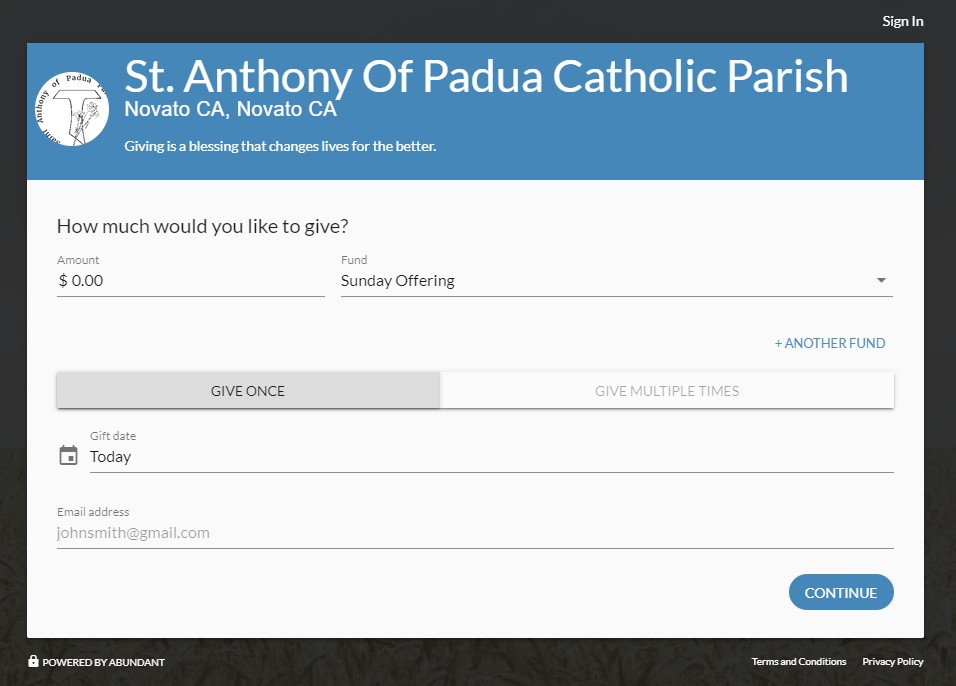
We are using the Abundant platform for on-line donations. Start by clicking on the Donate Now button. Then enter Amount, choose Fund from drop down list, use Give Once or Multiple Times, enter Gift Date and your email. When everything is entered, click "Continue."
Note: Long Time Users prior to 2020 are using a different system.
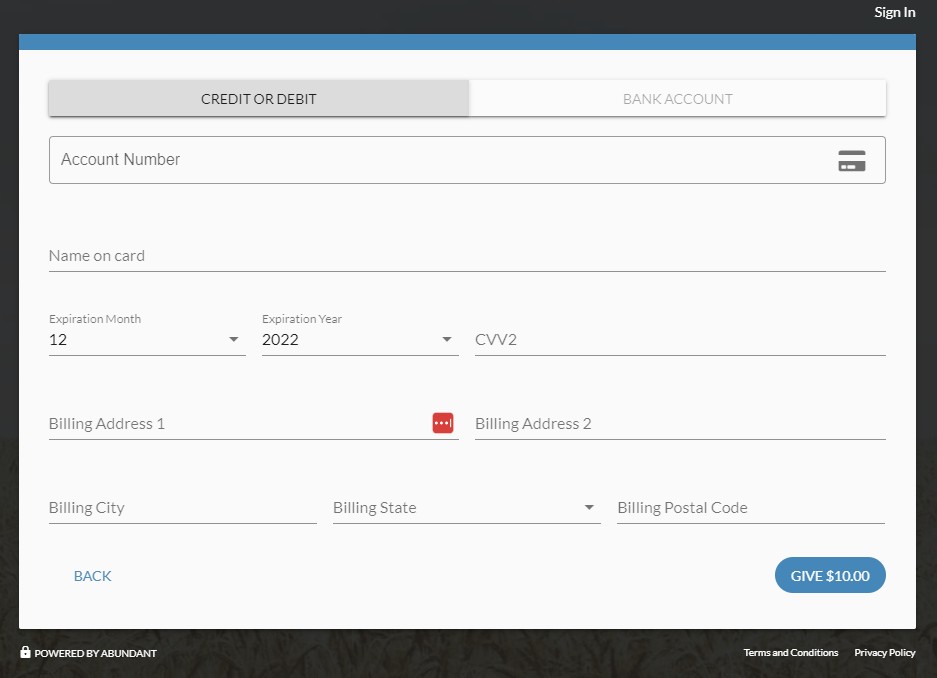
If asked, select "Continue as Guest" or "Log In" if an existing user. If Guest, enter your credit/debit card or bank account information to fund your donation. Then click on the blue "Give $" button on bottom right to complete the process. Final step is an image verification to make sure you are not a robot. A receipt will be sent to your email address.
Finally, you will be given an opportunity to create an account for faster giving in the future. Your email is your log in and you need to create a password.
 |
 |
How to review an existing account
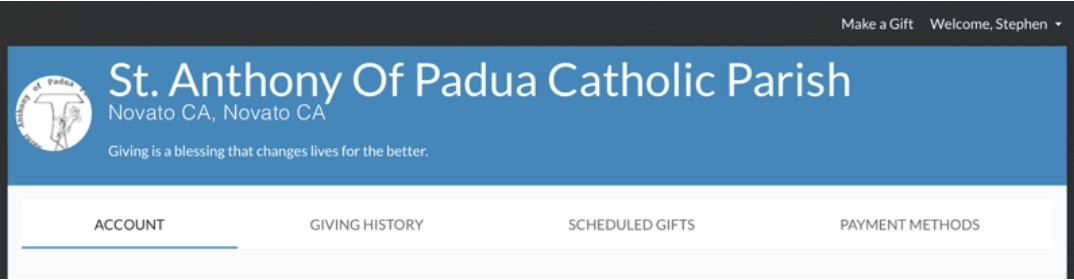
Start by clicking on the Donate Now button. In the top right corner of the screen above the blue banner, click on "Sign In" phrase. Enter your email and password and click the Sign In button. You can enter a new donation or once again go to the top right corner of the screen and click on Welcome, Your Name drop down. From here you can view your account information, giving history, scheduled gifts, payment methods and sign out.
How to request to receive envelopes
Just call the office at 415-883-2177 to request envelopes and we will mail you a new set every 2 months
You can also use our QR code to Donate!